
MightyGuard2.8.5 - Google Play
You'll be able to see results in few seconds.
Publisher Description

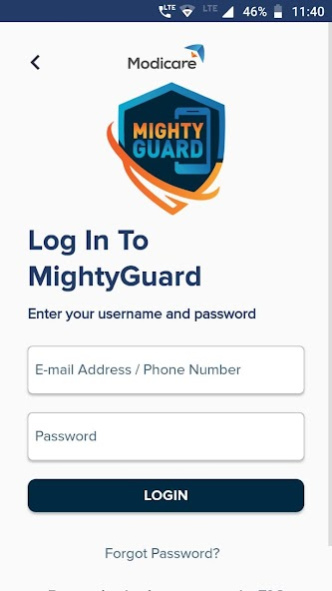
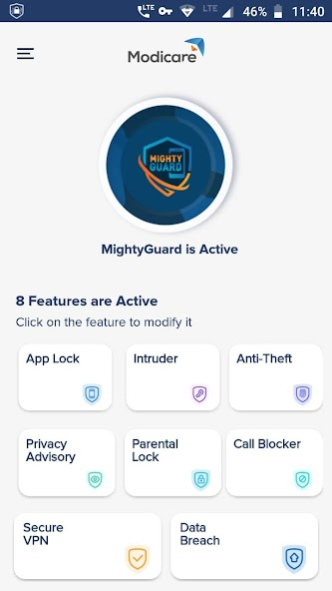

MightyGuard is a mobile security app by Modicare with features as below:
Anti-Theft : Enable anti-theft to track and locate your mobile when it is lost or stolen. Then you can play a loud alarm- even if it is on silent. MightyGuard needs access to location in background (All The Time location access) so that it can track the location of the device when you lose it. You can choose to deny permission to access location all the time, but then this feature will remain disabled.
For users using Android 10 or above, please allow All The Time location access to enable this feature.
Intruder Alert- Enable Intruder to capture the image of the person trying to unlock your phone three times with wrong PIN/pattern/password
VPN - Protect your device privacy, hide your IP address and secure your connection on public Wi-Fi with its inbuilt VPN feature.
Data Breach: Find if your details were exposed in any data breach.
Parental Lock: Enable Parental Lock to block inappropriate websites and keep your kids safe online.
App Lock: Lock and protect your sensitive apps using a PIN.
Call Blocker: Manage your block list to automatically block calls from specific numbers.
Privacy Advisory: Review the permissions used by the apps on your phone and decide whether to keep them or not.
MightyGuard Privacy Policy
https://www.modicare.com/mightyguard/privacypolicy.aspx
This app uses the Device Administrator permission.
About MightyGuard
The company that develops MightyGuard is Modicare. The latest version released by its developer is 2.8.5.
To install MightyGuard on your Android device, just click the green Continue To App button above to start the installation process. The app is listed on our website since 2021-03-12 and was downloaded 0 times. We have already checked if the download link is safe, however for your own protection we recommend that you scan the downloaded app with your antivirus. Your antivirus may detect the MightyGuard as malware as malware if the download link to com.modicare.mightyguard is broken.
How to install MightyGuard on your Android device:
- Click on the Continue To App button on our website. This will redirect you to Google Play.
- Once the MightyGuard is shown in the Google Play listing of your Android device, you can start its download and installation. Tap on the Install button located below the search bar and to the right of the app icon.
- A pop-up window with the permissions required by MightyGuard will be shown. Click on Accept to continue the process.
- MightyGuard will be downloaded onto your device, displaying a progress. Once the download completes, the installation will start and you'll get a notification after the installation is finished.
Program Details
System requirements
Download information
Pricing
Version History
version 2.8.5
posted on 2021-03-12
A few bugs are fixed in this update
version 2.8.3
posted on 2021-03-05
Bugs fixes and performance improvement
version 2.6
posted on 2020-11-07
*App Lock :Some apps are not getting locked- Fixed
*VPN: Performance Improvements
*Anti Theft- Fixed bugs on location not fetched sometimes or pictures are taken after making device mode safe
*Intruder Alert- Now a picture will be taken if someone enters 3 wrong PIN on MG PIN screen
*Uninstall Option added within MightyGuard app
version 2.5
posted on 2020-08-25
New and Improved App Lock
Unlock apps with fingerprint now
Disclaimer
Official Google Play Link
We do not host MightyGuard on our servers. We did not scan it for viruses, adware, spyware or other type of malware. This app is hosted by Google and passed their terms and conditions to be listed there. We recommend caution when installing it.
The Google Play link for MightyGuard is provided to you by apps112.com without any warranties, representations or guarantees of any kind, so access it at your own risk.
If you have questions regarding this particular app contact the publisher directly. For questions about the functionalities of apps112.com contact us.
